

Reference
Roles, assignments and audit
Good access control is visible access control: who holds which role, in which scope, and who changed it. Rifena logs every grant and revocation so checking access no longer relies on memory.
A correct assignment answers four questions: who receives it, which role, what scope and for what validity period.
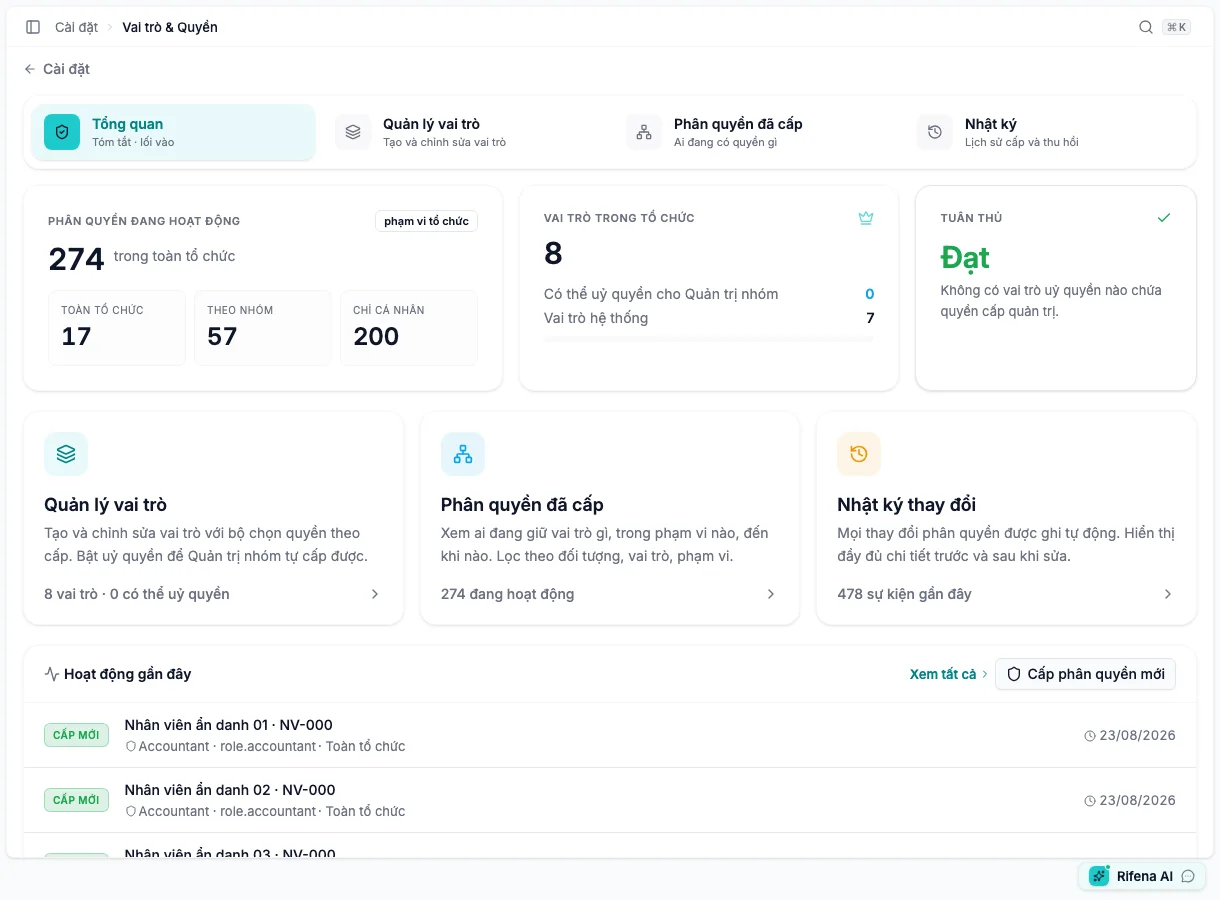
Four sections
Roles
System roles provide a standard baseline and can be restricted from editing. Custom roles model organisation-specific responsibility. An inactive role cannot be granted until reactivated. A delegatable role can be granted by a narrower-scope administrator only when all included permissions are compatible.
Permission tiers
- T1 · System administration
- Powerful organisation-level access; never place it in a role delegated to group administrators.
- T2 · Operations & approval
- Business operations; assignment scope controls whose data is affected.
- T3 · Self-service
- Usually included in Employee; rarely needs a separate role by itself.
Set a clear name/code, choose only required permissions and resolve tier warnings. Do not save a delegatable role that contains system-administration access.
Assignments
- Structural assignments: attach a role to an organisation position; access follows the position when its holder changes.
- Person exceptions: special access for a person/group, normally with expiry.
Intent
- Appoint management position — position, role and managed groups.
- Organisation-wide access — HR/accounting/admin responsibility across all data.
- Person exception — temporary or special access with recommended expiry.
- Advanced custom — manual subject and scope when the other patterns do not fit.
Scope
- Organisation: all data; grant only when the job requires it.
- Groups: one or more groups, optionally including descendants.
- Self: for an individual and self-service permissions.
After grant, find the Active row and verify subject, role, scope, descendants and validity. Refresh the recipient’s session before testing.
Revoke and regrant
Revocation ends access but preserves history. If access remains, search every active assignment from person, group and position sources. Do not create a duplicate active grant; revoke or edit the correct existing assignment.
Audit
Filter by actor, subject, role or operation. Detail can show time, actor, subject, role, scope and before/after values. Unavailable names use neutral labels rather than raw IDs. A new grant may have no “before” snapshot and a revoke can contain only the ended state; that alone does not mean audit is missing.